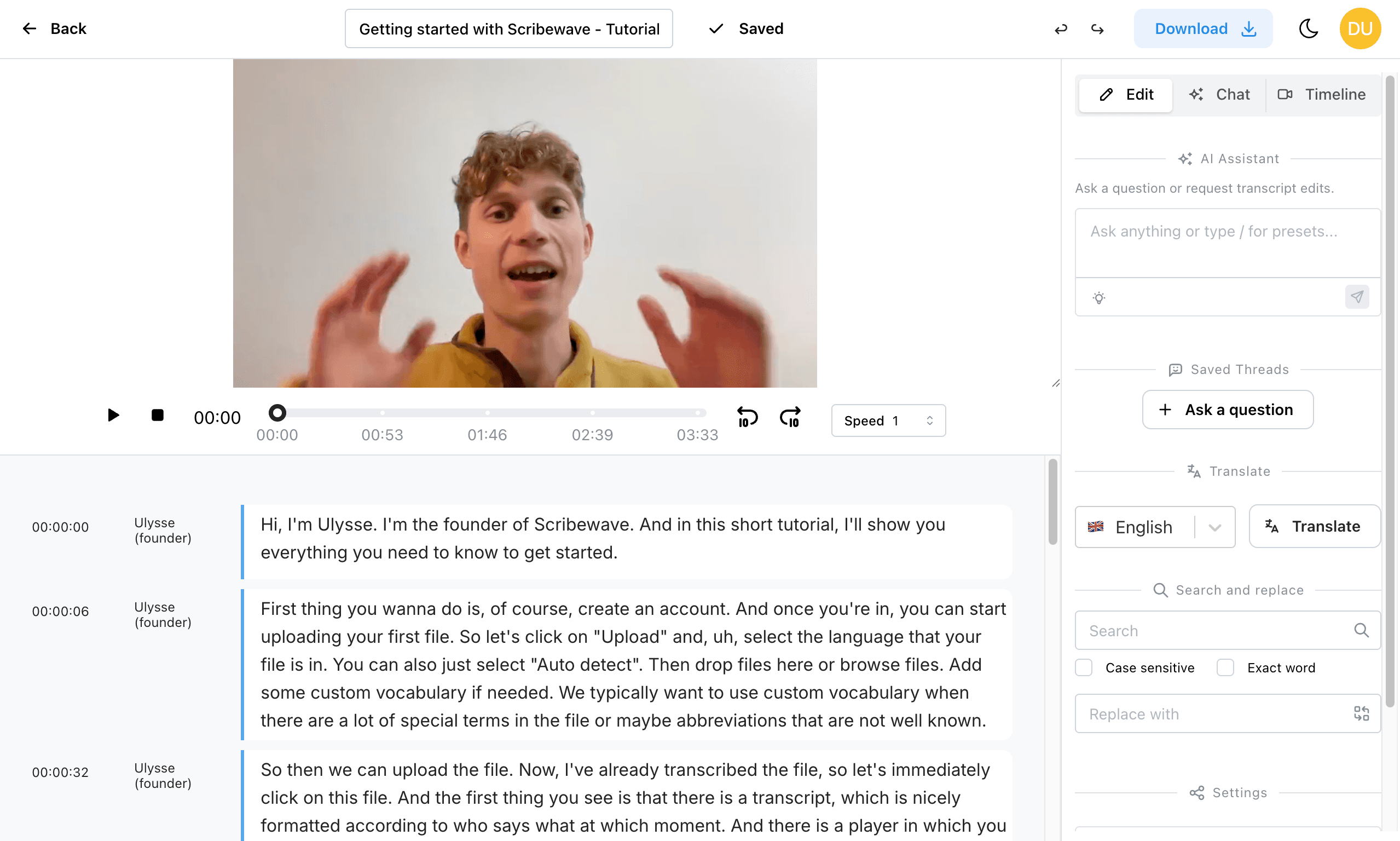
Getting Started
Your First Project
Go from login to your first transcript editing session in a few minutes.
This guide follows a real demo flow using the project Interview with Geoffrey Hinton.
Before you start
- You need to be logged in to your Scribewave account.
- If you don't have an account, you can sign up via https://scribewave.com/login > Create account.
- You can sign in with Google, Microsoft, or email/password.
Step 1: Open your dashboard
After signing in, you land on your project library where you can search, open, and create work.
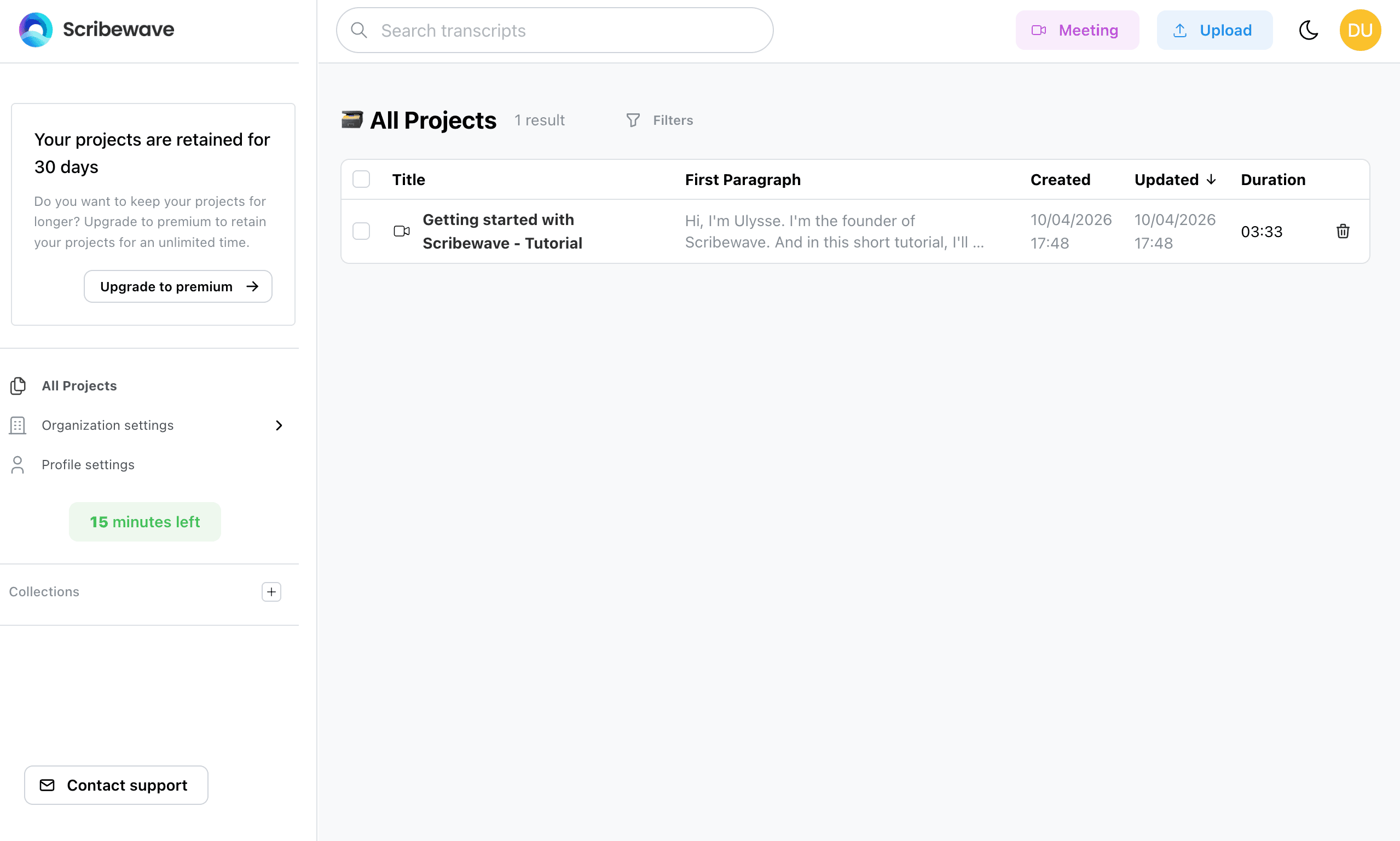
Step 2: Find the demo project
Use the search field if needed, then click Getting started with Scribewave - Tutorial in your project list.
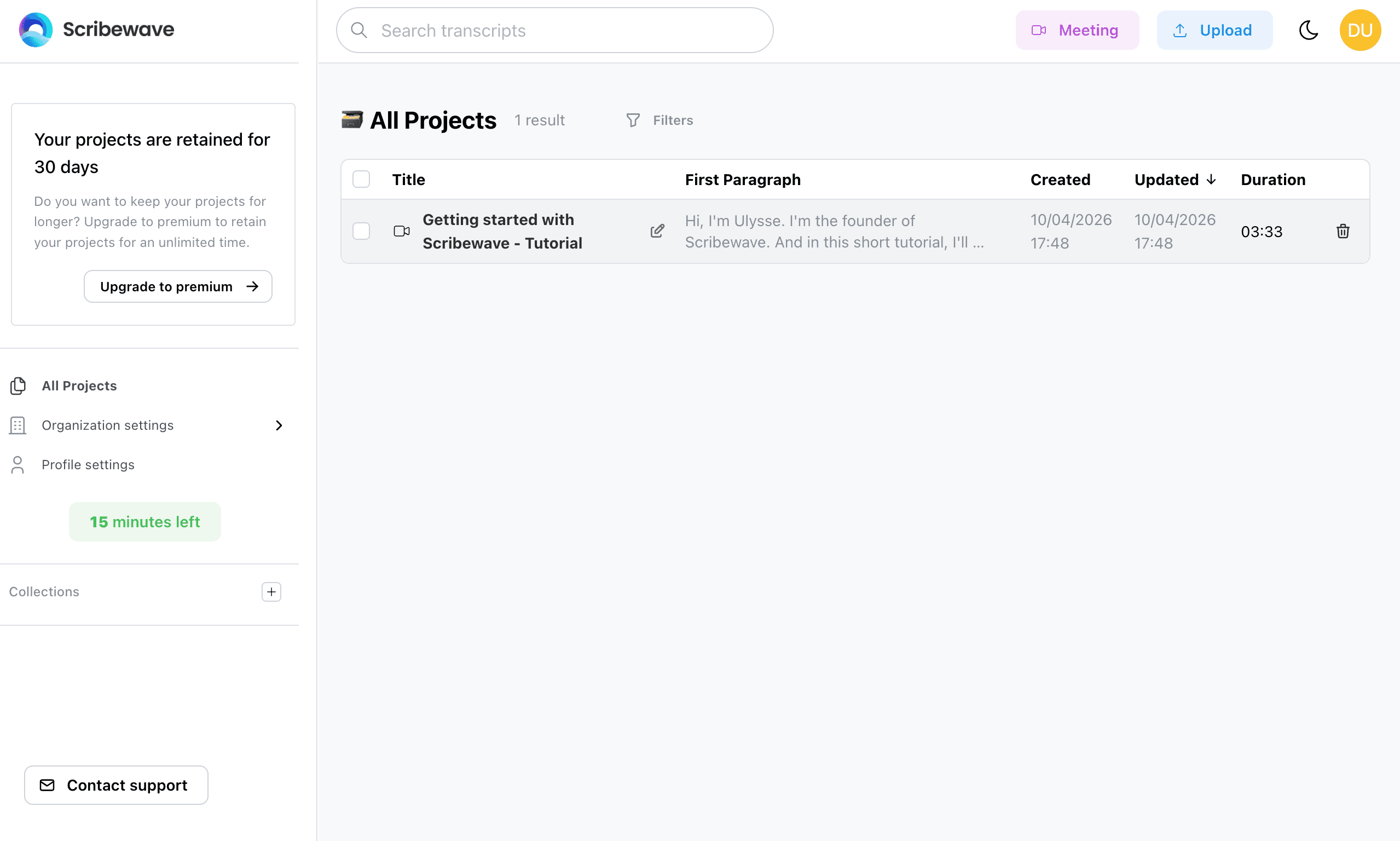
Step 3: Open the transcript editor
When the project opens, you are in the document editor. This is where you review text, make edits, and prepare exports.